See customer reports
See who your top customers are and how often they come back.
Who can do this: Owner and Manager
This is not in every plan. See Pricing.
These reports show who buys the most from you, and how often people come back. They count only the bills that have a customer on them.
See your top customers
- In the menu, open Reports and press Top Customers.
- Under Period, choose the dates.
- Choose how many people to see: Top 10, Top 25 or Top 50.
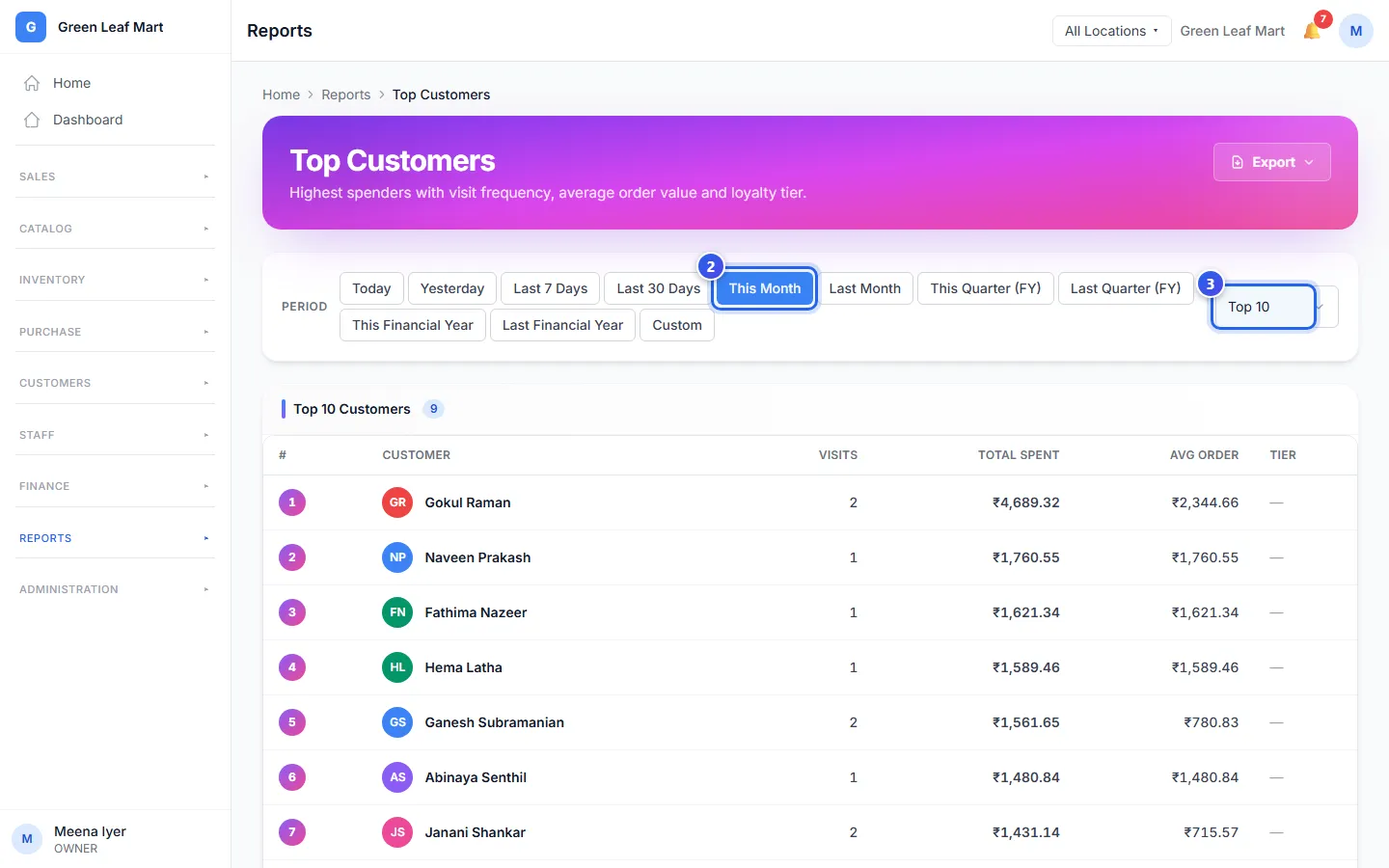
Each row is one customer:
- Visits is how many bills they had.
- Total Spent is all the money they paid.
- Avg Order is the average money in one of their bills.
- Tier shows their loyalty level, if they have one.
See who comes back
- In the menu, under Reports, press Repeat Visits.
- Under Period, choose the dates.
- Read Repeat Rate. It is the share of customers who came more than once.
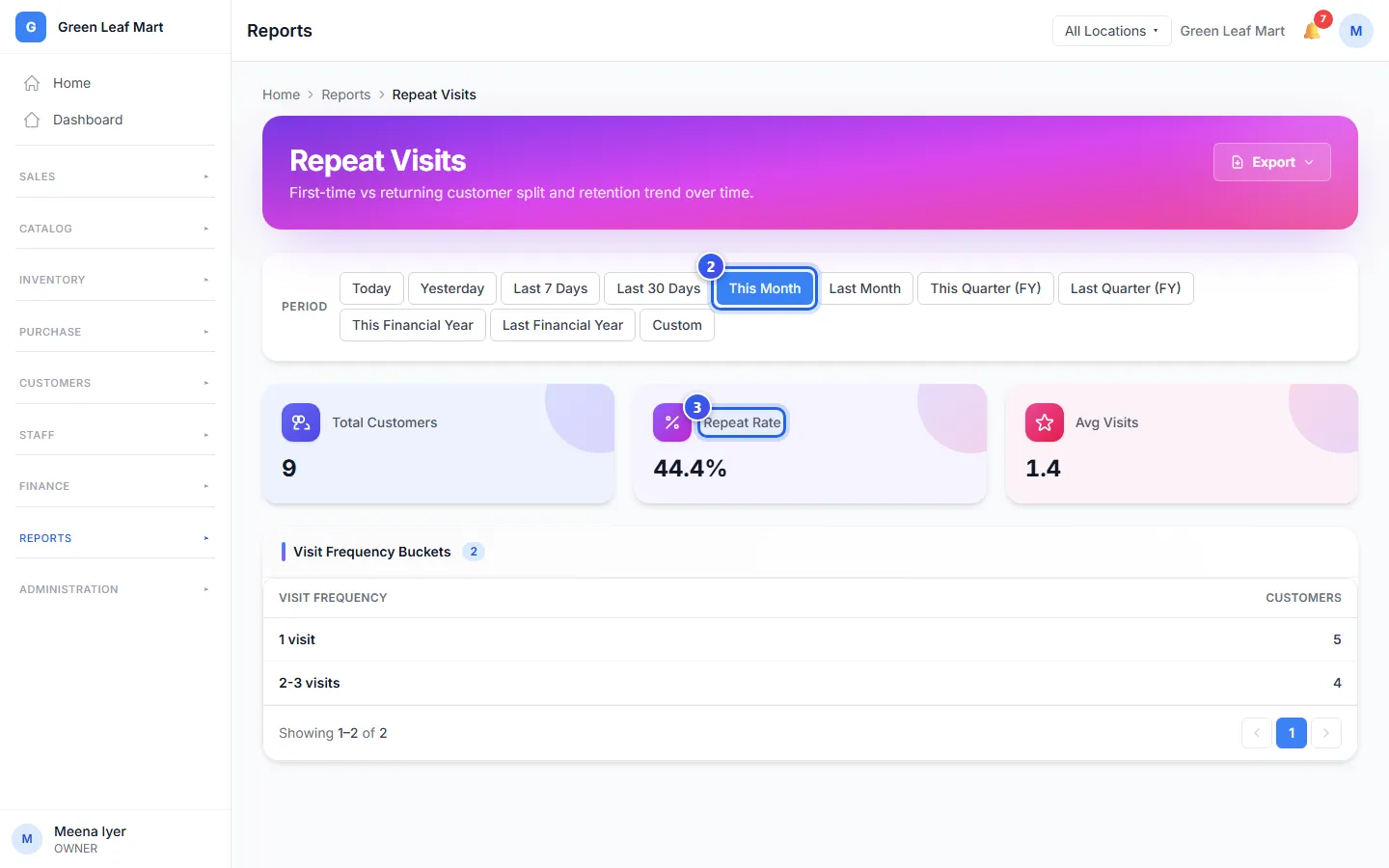
Total Customers counts the people who bought in those dates. Avg Visits is how many times each one came, on average. The Visit Frequency Buckets table shows how many came once, and how many came more often.
Related help
Still need help?