Read your dashboard
See today's sales next to yesterday's, and other key numbers, on one page.
Who can do this: Owner and Manager
The dashboard shows how your business is doing today. It puts today's numbers next to yesterday's. You can see at once if sales are up or down.
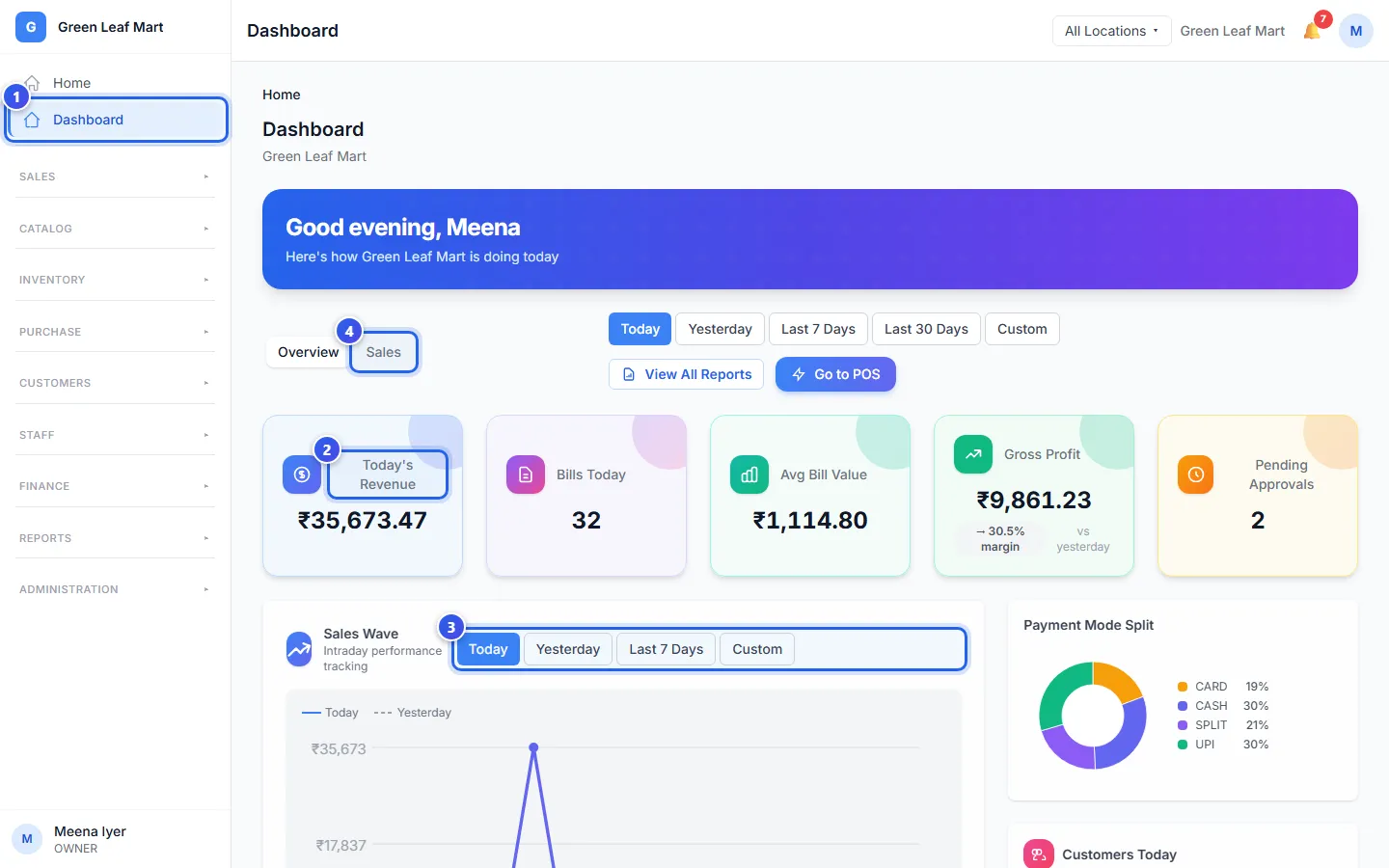
- In the menu, press Dashboard.
- Read the cards at the top. Each card shows a number for today.
- Above the Sales Wave chart, choose Today, Yesterday or Last 7 Days.
- Press Sales to see more charts about your sales.
What the cards show
- Today's Revenue is the money from today's bills.
- Bills Today is how many bills you made today.
- Avg Bill Value is the average money in one bill.
- Gross Profit is your sales minus what the goods cost you. It shows only on a day with a profit.
- Pending Approvals shows when staff requests wait for you.
Some cards also show how much the number went up or down since yesterday.
Press a card to open its report. Today's Revenue, Bills Today and Avg Bill Value open the Sales Report. Gross Profit opens Profit & Loss. Pending Approvals opens Approvals.
The rest of the page
The Sales Wave chart draws your sales hour by hour. A second line shows the same hours yesterday.
Lower on the page you find more boxes:
- Payment Mode Split shows how customers paid today: cash, UPI, card and more.
- Sales Heatmap shows your busy hours over the last 7 days.
- Lists show your top products, your top groups of products and your latest bills.
The buttons next to Overview and Sales, like Last 7 Days, change some of these lists. In a restaurant, the Orders tab shows the bills that are still open.
Press View All Reports to see every report. Press Go to POS to open the till.
Related help
Still need help?