Open, download and share a report
Find a report, pick the dates, then save it or share it on WhatsApp or by email.
Who can do this: Owner and Manager
All your reports are in one place. Open a report, pick the dates, then save it as a file or share it.
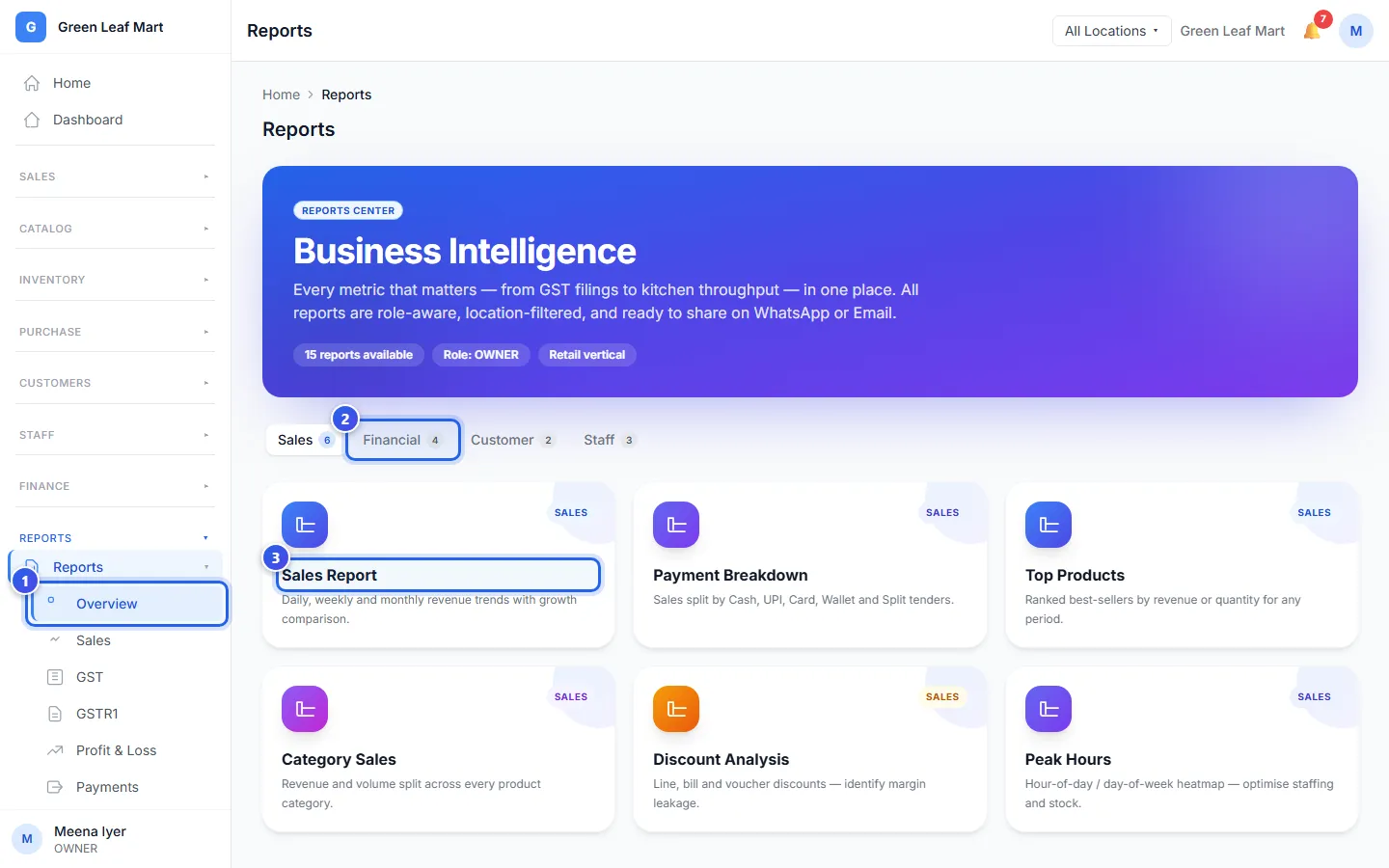
- In the menu, open Reports and press Overview.
- At the top, choose a group, like Sales or Financial.
- Press a report, like Sales Report.
- Under Period, choose the dates, like This Month.
- To see one location, choose it where it says All Locations.
- Press Export.
- Choose how to save or share the report.
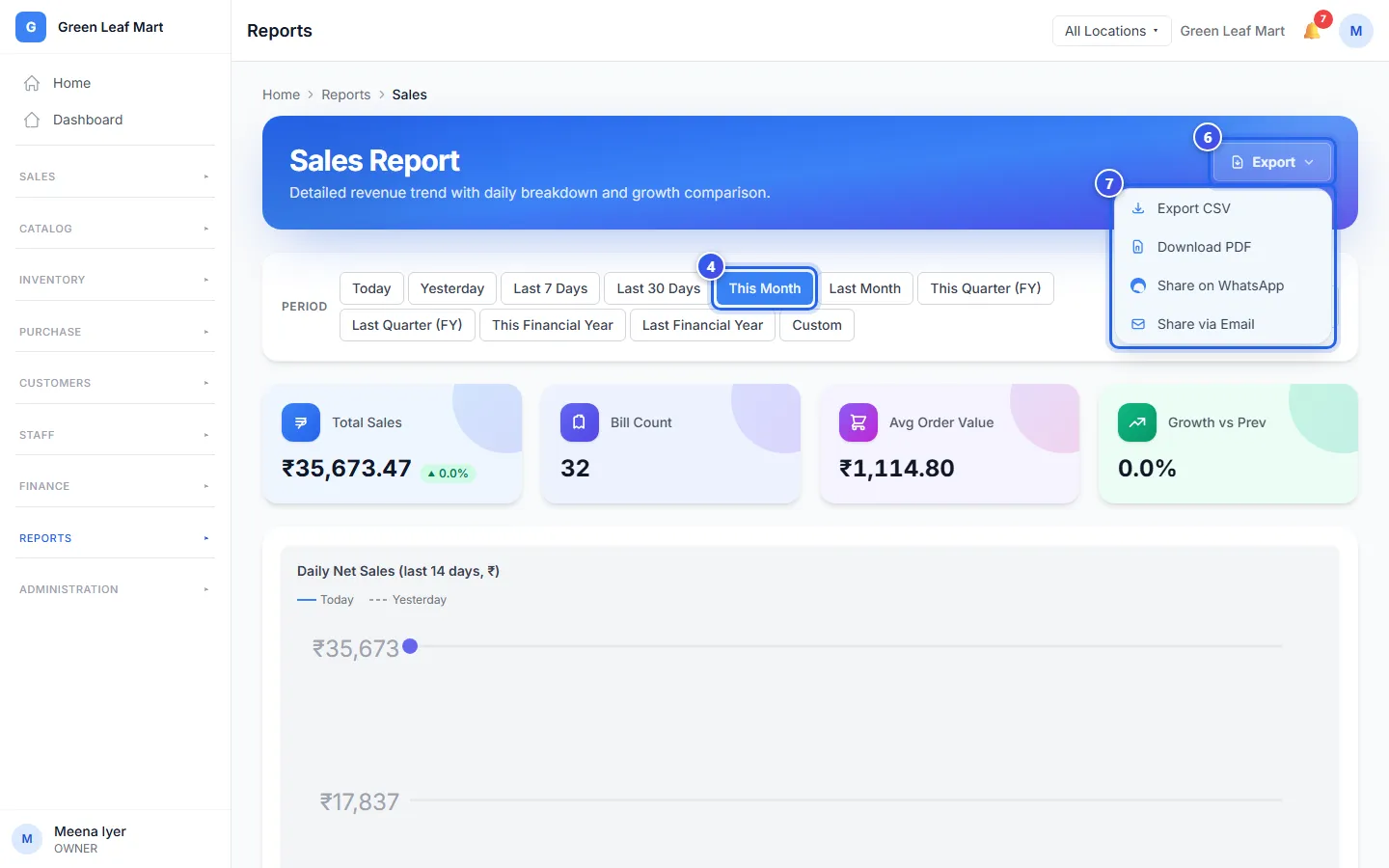
To pick your own first and last day, press Custom. You can also open each report from Reports in the menu.
What each choice does
- Export CSV saves the report as a CSV file. You can open it in Excel or Google Sheets.
- Download PDF opens the print box of your browser. Choose "Save as PDF" there to keep a PDF file.
- Share on WhatsApp opens WhatsApp with a short message. The message has the name of the report and its main numbers.
- Share via Email opens your email app with the same short message.
The two share choices send a short message, not the file. To send the full report, press Export CSV first. Then add the file to your message.
If Export is grey, the report has nothing for those dates. Choose more days and try again.
Related help
Still need help?