Write your store's pages
Write the delivery, returns and other pages that customers read before they buy.
Who can do this: Owner and Manager
This is not in every plan. See Pricing.
A new customer has questions. Do you deliver to me? Can I bring it back? Your online store has 7 short pages that answer them: About us, Contact, Delivery, Returns, FAQ, Terms and Privacy. You write each page in the admin app. An Owner or a Manager can do this.
Write a page
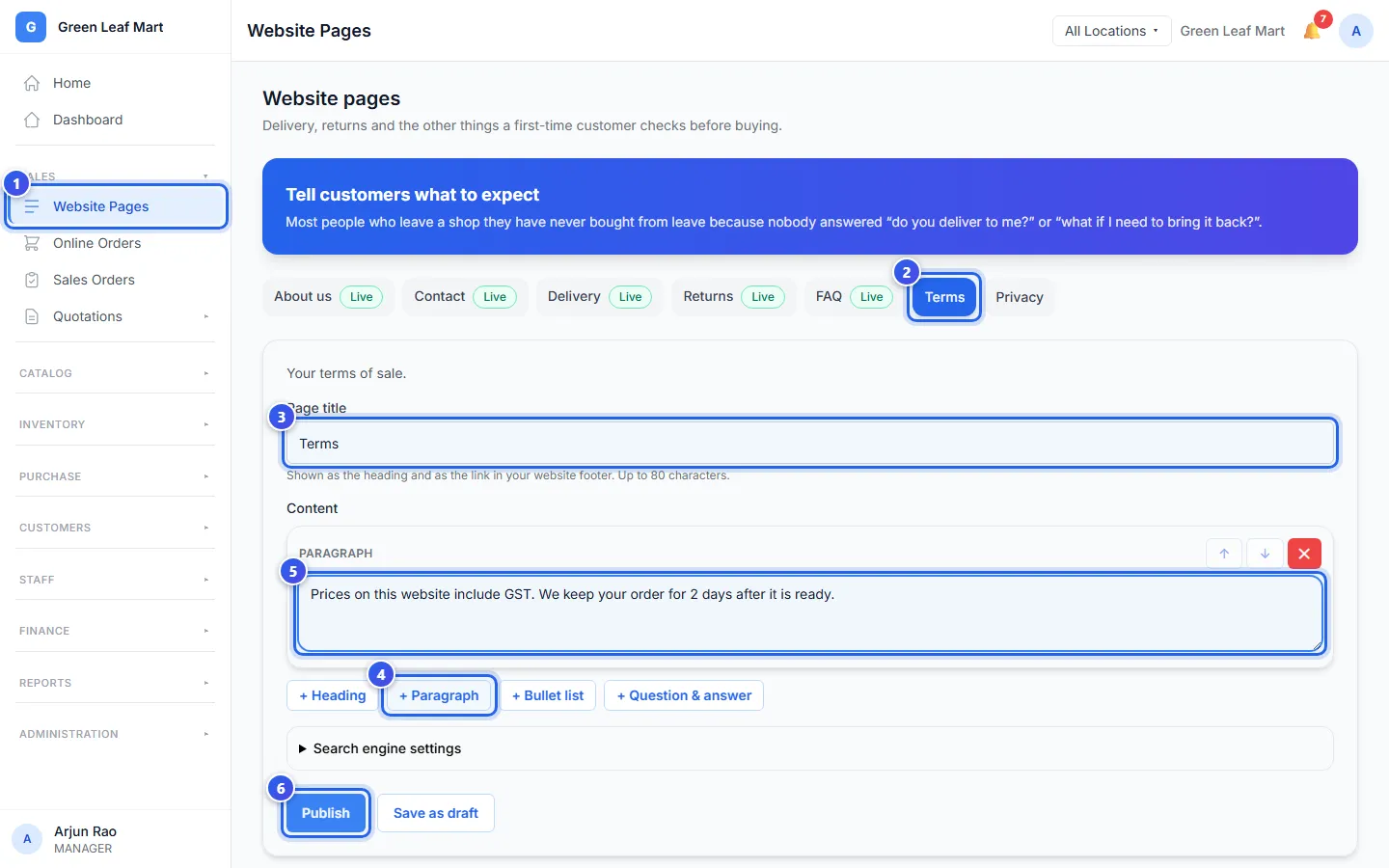
- In the Sales group, press Website Pages.
- Press the page you want to write, like Terms.
- Check the Page title. Customers see it at the top of the page.
- Under Content, press + Paragraph.
- Type your words in the box.
- Press Publish.
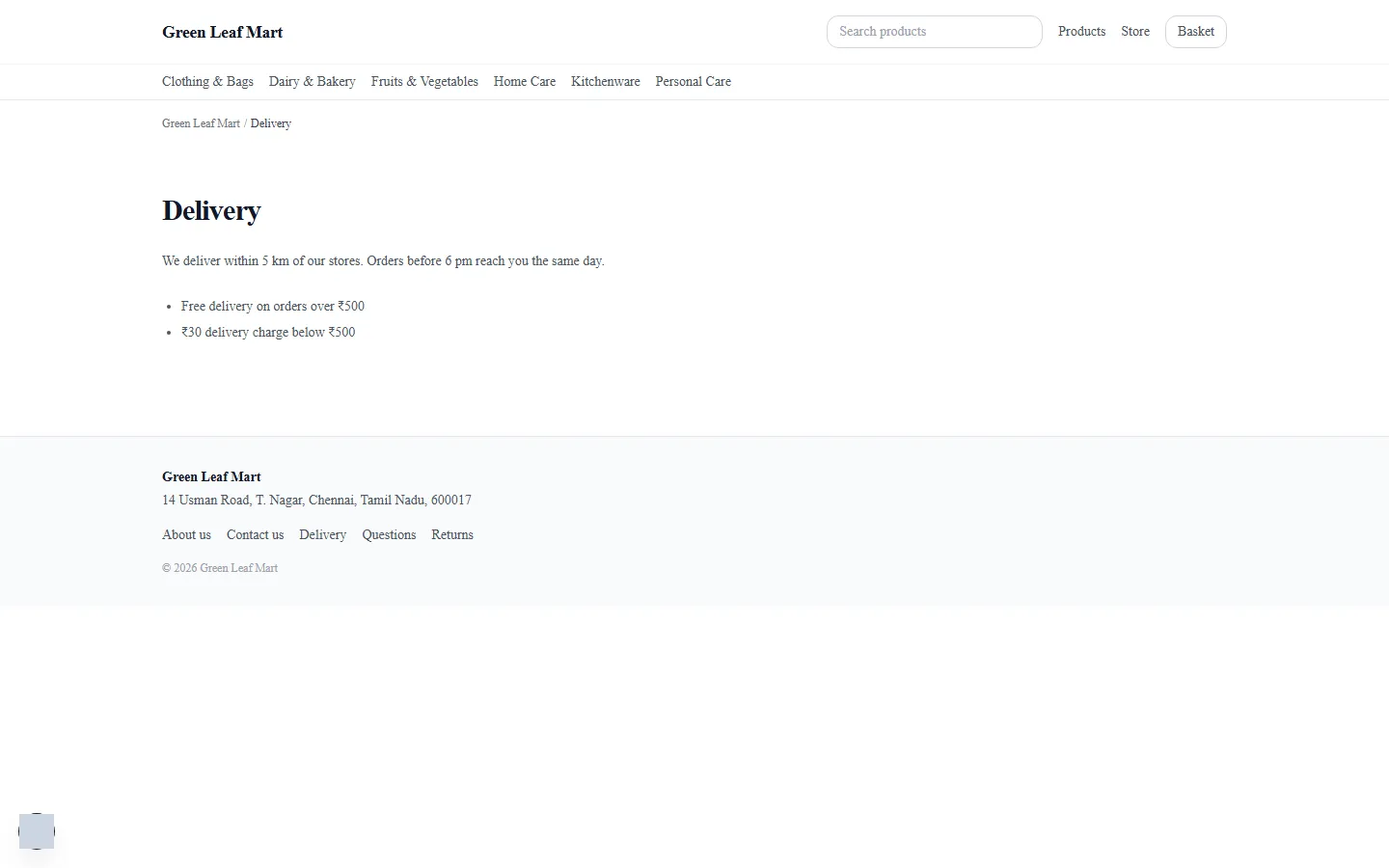
The page now says Live. Its title shows as a link at the bottom of every page in your store.
Change a live page
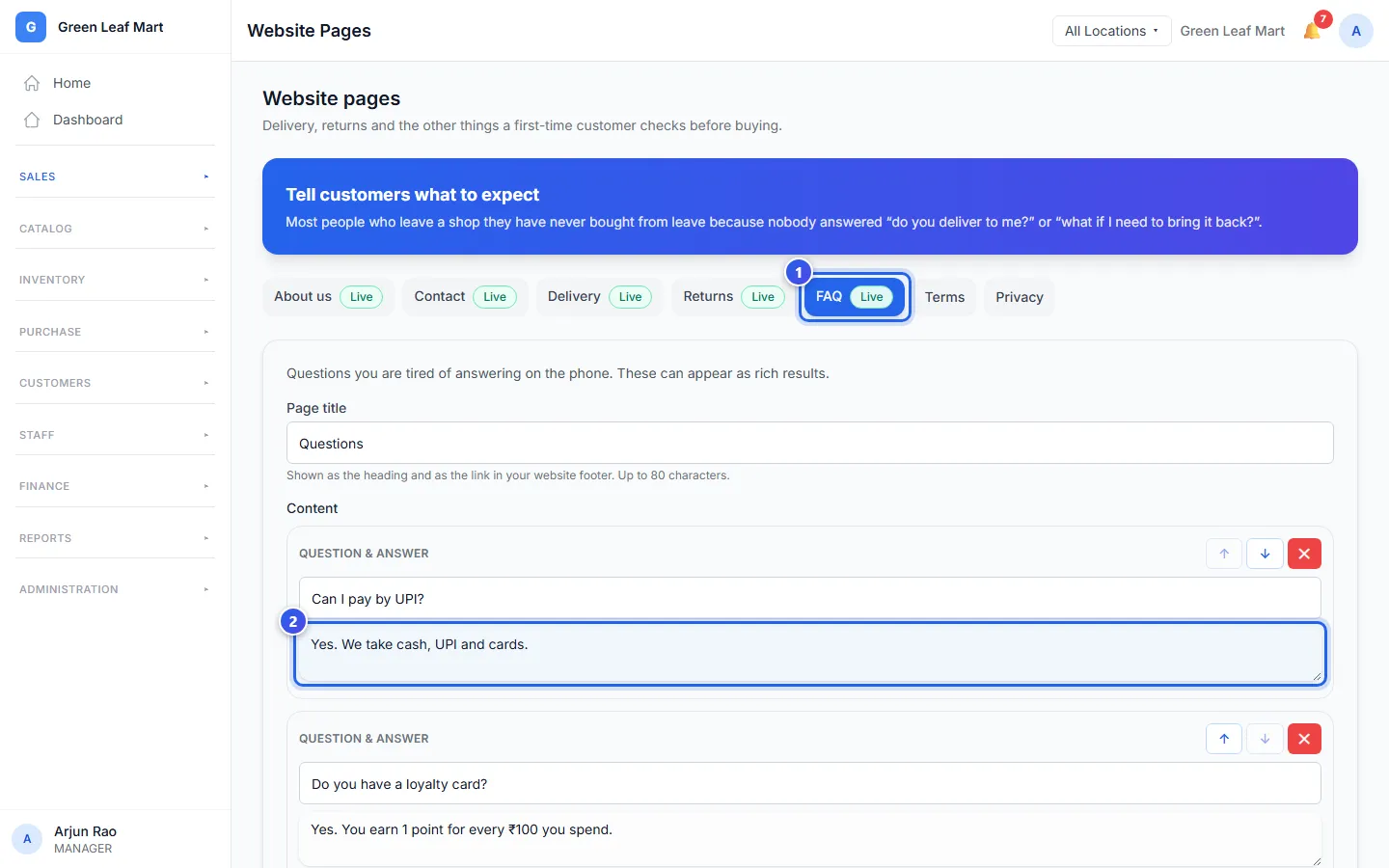
- Press a page that says Live, like FAQ.
- Change the words in a box.
- Press Update live page.
Kinds of blocks
A page is made of blocks. Press a button under the blocks to add one more.
- + Heading adds a short title.
- + Paragraph adds a few sentences.
- + Bullet list adds a list. Press + Add a point for each new line.
- + Question & answer adds a question and its answer. Use it on the FAQ page.
Use the up and down arrows to move a block. Press the red cross to take a block away. A page can have up to 40 blocks.
Good to know
- Press Save as draft to keep a page hidden while you work on it.
- When you publish Returns, Orio360 also tells Google how many days customers have to bring an item back. You set those days on the Return Policy page.
- Open Search engine settings to change how the page looks in Google. You can leave it empty.
- Delete page takes the page off your store.
Related help
Get your online store
Learn how your online store is set up, and where your customers find it.
On some plans
What customers see in your store
See the home page, product pages and search that customers use to shop.
On some plans
Set your return policy
Choose who can take items back, and when a big return must wait for a Manager.
Still need help?