Take online payments
Connect your Razorpay account, so customers can pay for store orders by UPI or card.
Who can do this: Owner
This is not in every plan. See Pricing.
Customers can pay for an order from your online store by UPI, card or wallet. Orio360 uses your own Razorpay account for this. Razorpay takes the money and sends it to your bank. Only the Owner can set this up.
First, sign in to your Razorpay account. Make a key there, under Settings and then API Keys. Razorpay shows you a key ID and a key secret.
- In the Administration group, press Settings, then Payment Gateway.
- Type the key ID from Razorpay in Key ID.
- Type the key secret in Key Secret.
- Did you make a webhook secret in Razorpay? Type it in Webhook Secret (optional).
- Press Save credentials.
- Press Test connection.
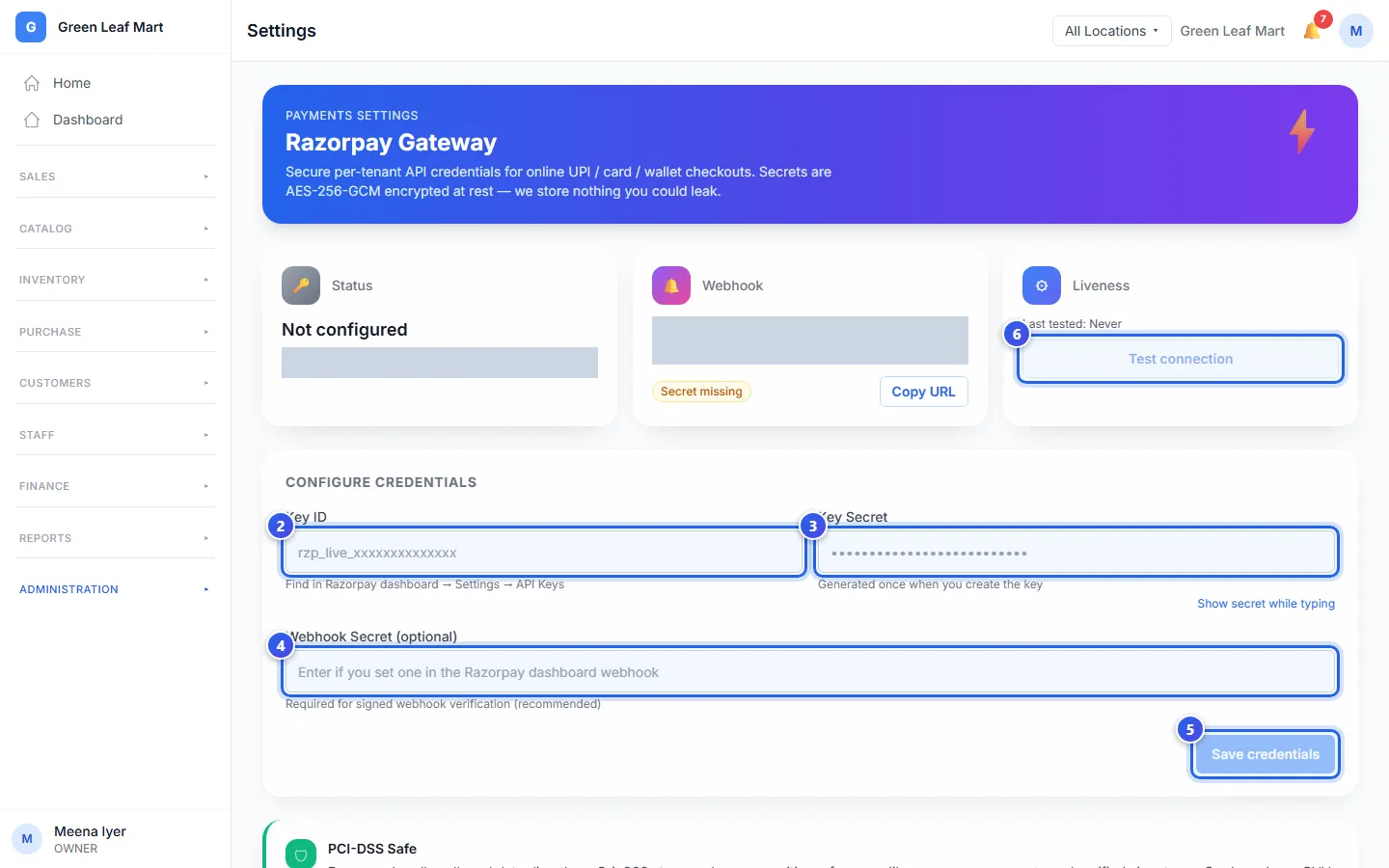
When the test works, the page says Razorpay responded OK. Status shows the end of your key and Active.
Let Razorpay tell us about each payment
The Webhook box shows a web address. Press Copy URL. In your Razorpay account, add a webhook with this address. Use the same secret as in step 4. Then Razorpay tells Orio360 about each payment.
The box says Secret set when you saved a webhook secret, or Secret missing when you did not.
To stop online payments, press Deactivate, and then say yes in the message. Payments stop at once.
Related help
Check your online payments
Match the money customers paid online with your bills, day by day.
On some plans
How customers order from your store
See the basket, the checkout and the order page that your customers use.
On some plans
Set up WhatsApp
Connect your WhatsApp Business account so you can send bills and messages.
On some plans
Still need help?