How customers order from your store
See the basket, the checkout and the order page that your customers use.
Who can do this: Owner, Manager and Cashier
This is not in every plan. See Pricing.
Customers can order from your online store when our team turns on orders for it. A customer does not make an account. They give a name and a mobile number. Then the order waits for you at the till.
Place an order
- On a product page, press Order this. A message says the item is in the basket.
- Press Basket at the top of the page.
- Press the plus or minus button to change how many. Press Remove to take an item out.
- Press Checkout.
- Type Your name and Mobile number.
- Press Place order.
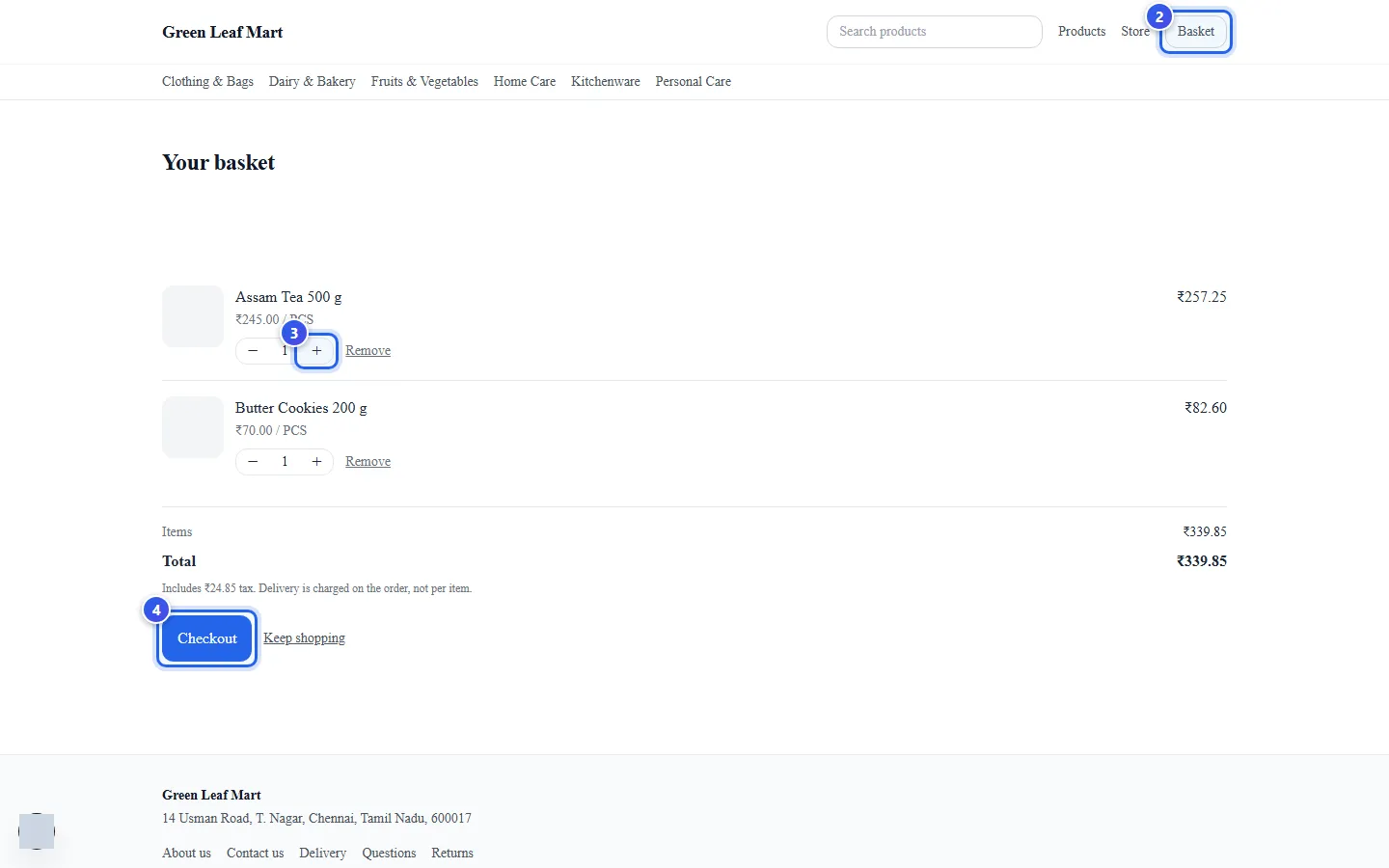
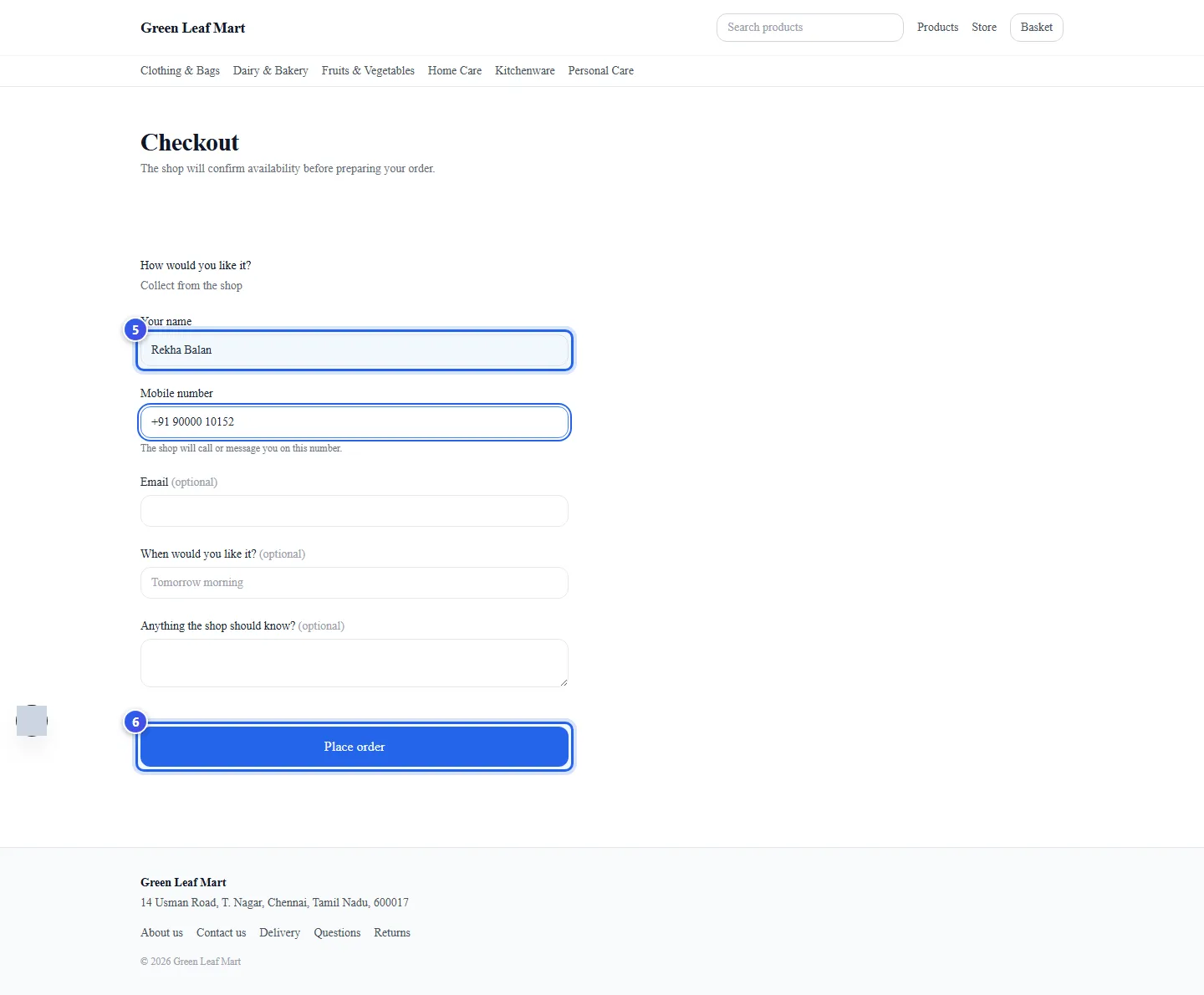
The basket shows the total, with the tax in it. On the checkout page, How would you like it? shows how you hand over orders. Collect from the shop means the customer comes to pick it up. Deliver to me asks for an address.
The customer can also fill in When would you like it? and Anything the shop should know? You see both on the order at the till.
After the order
The customer now sees the order page. It shows the order number, the items and the total. The top of the page says how the order is going:
- Order received means the shop has not looked at it yet.
- Order confirmed means the shop said yes and is getting it ready.
- Ready means the order is ready.
- Order could not be fulfilled means the shop turned it down. The page shows the reason.
Until you accept the order, the customer can press Cancel this order. After that, they call you instead. The page also shows your shop's address, so the customer can find you.
The page has its own link, so the customer can open it again later. On the same phone or computer, the basket page also lists Your recent orders.
Related help
What customers see in your store
See the home page, product pages and search that customers use to shop.
On some plans
Accept an online order
See orders from your online store and accept or turn down each one.
On some plans
Take online payments
Connect your Razorpay account, so customers can pay for store orders by UPI or card.
On some plans
Still need help?