Sign in with an email code
Type your email, then type the code we send you to open the app.
Who can do this: Owner, Manager and Cashier
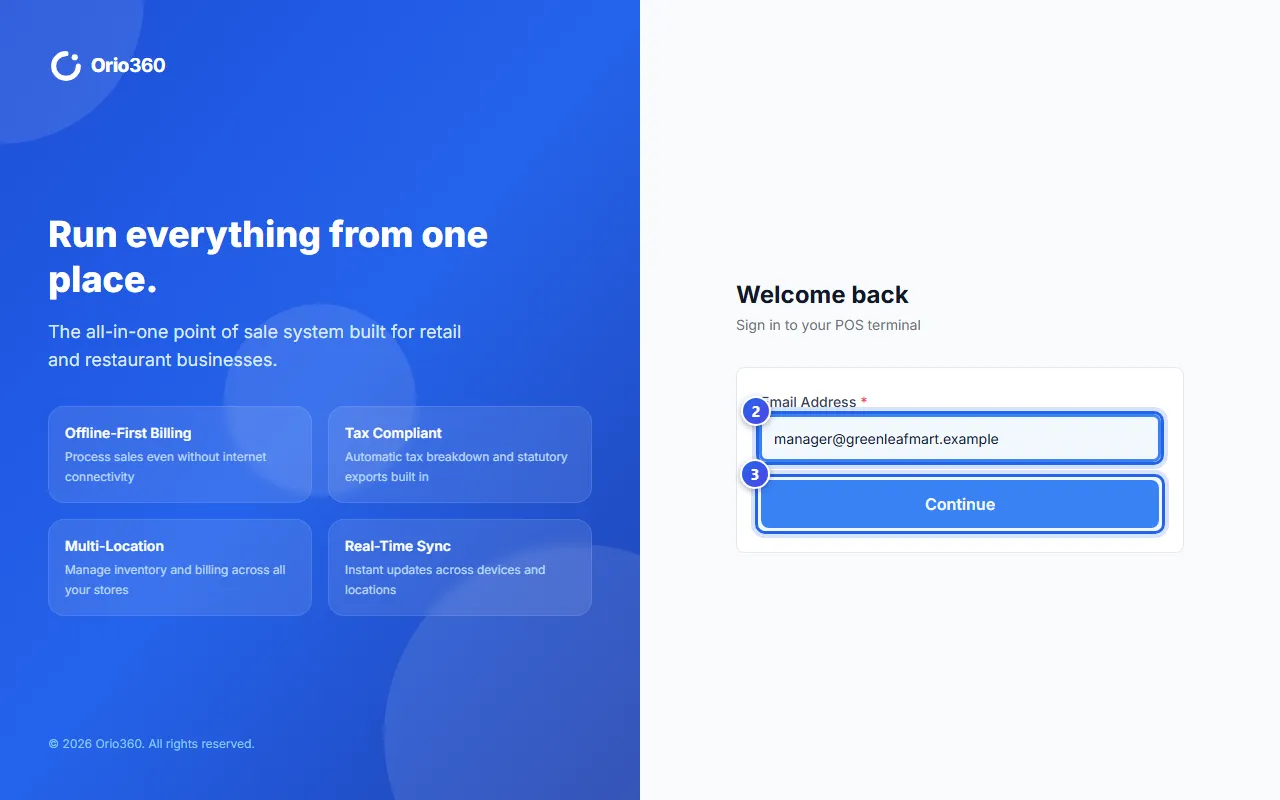
You sign in to Orio360 with your email. You do not need a password. Each time, we send a new code to your email. This code is your OTP. The steps are the same in the POS app and the admin app.
- Open the POS app or the admin app in your web browser.
- Type your email in Email Address.
- Press Continue.
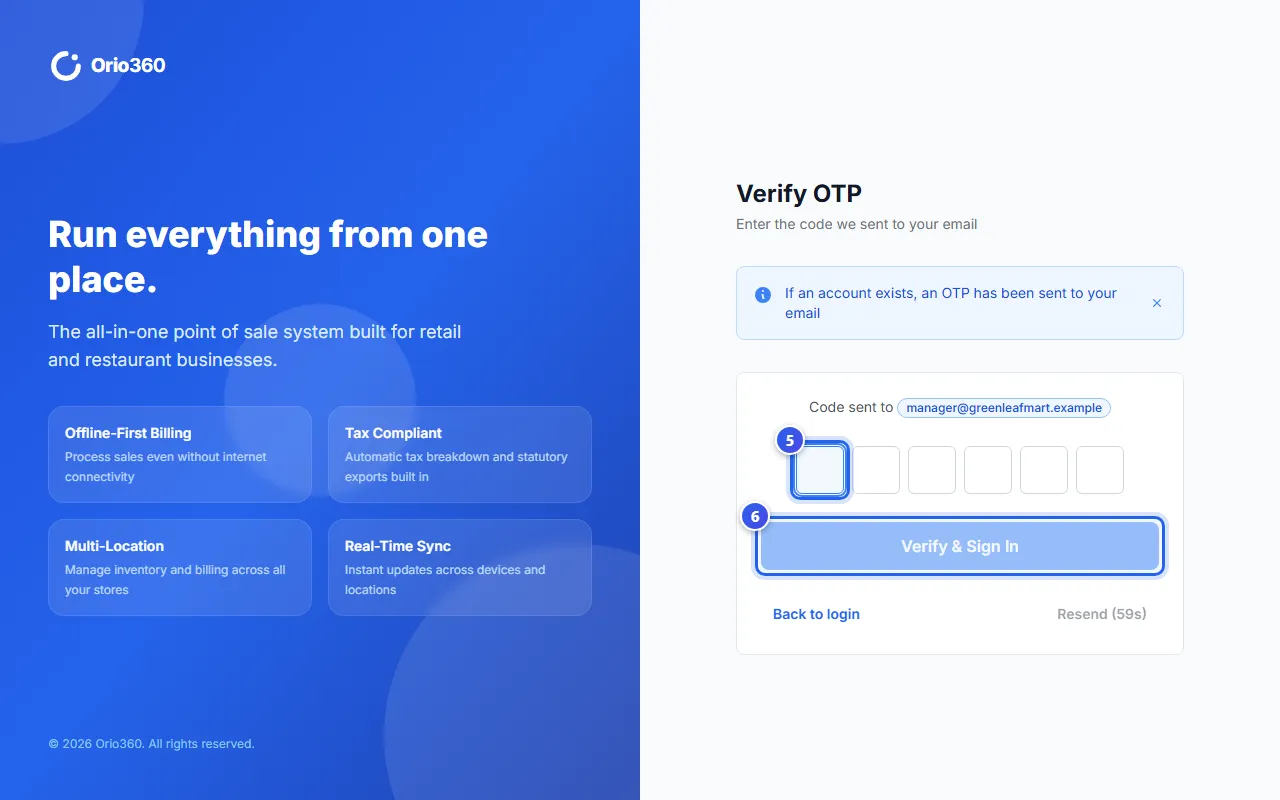
- Look in your email for the 6-digit code from Orio360.
- Type the code in the 6 boxes.
- Press Verify & Sign In.
The app opens. The POS app starts on the billing screen.
If the code does not come
- Wait for 1 minute. Then press Resend OTP to get a new code.
- Look in the spam folder of your email.
- Check the email you typed. Press Back to login to type it again.
Each code works only once. It stops working after 5 minutes.
Related help
Still need help?