Sell a membership plan
Make a paid membership plan that takes money off every bill, and add customers to it.
Who can do this: Owner
This is not in every plan. See Pricing.
A membership is a plan that a customer pays for. Members get money off every bill for as long as the plan lasts. First you make the plan. Then you add customers to it.
Make a plan
- Go to Memberships.
- Press + Create Plan.
- Type the Plan Name. Then choose a Tier, like Gold.
- Type the Fee, and the number of days in Duration. Or press a button like 1 year (365d).
- Scroll down. Type the Discount on every bill, in percent.
- Press Create Plan.
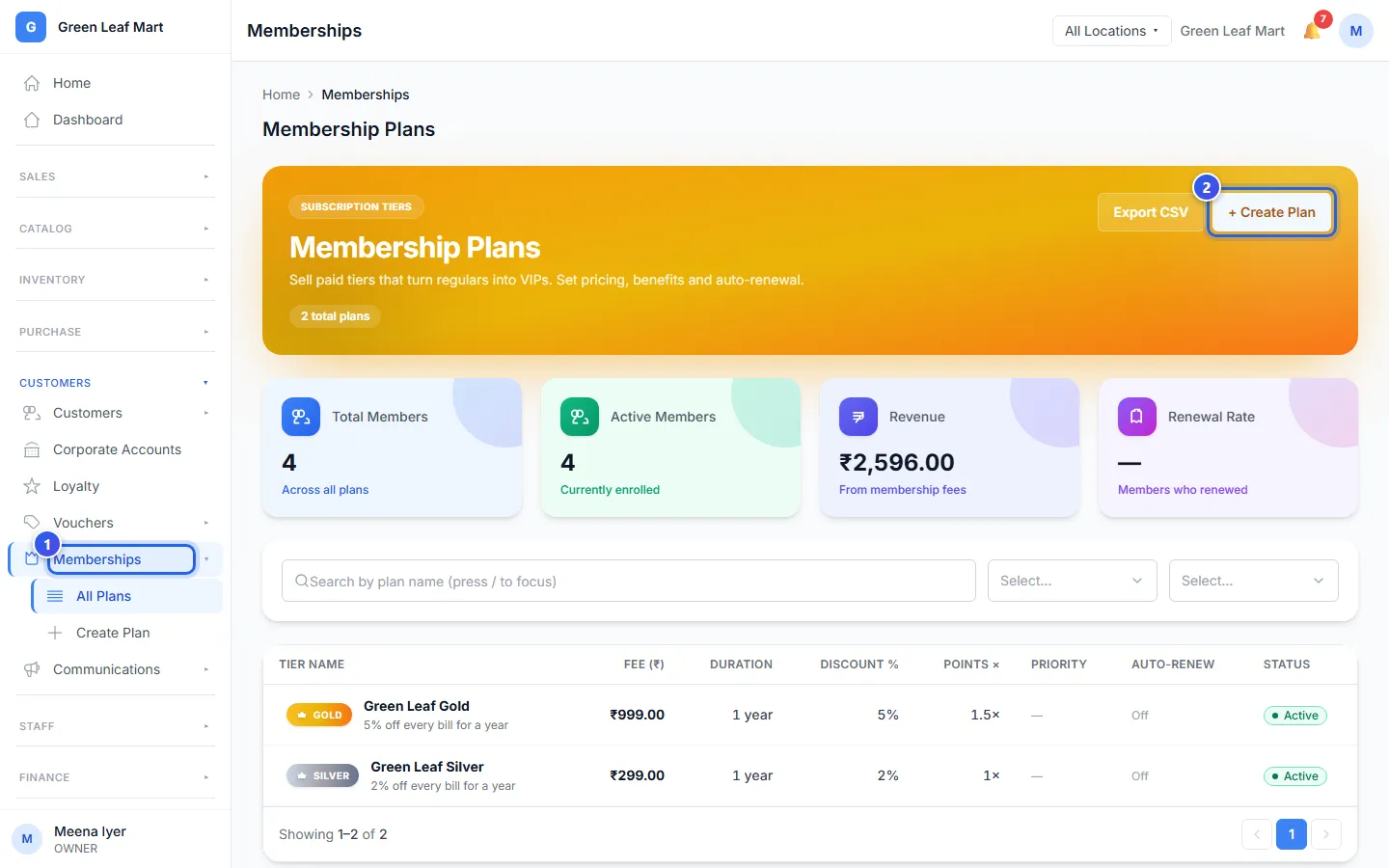
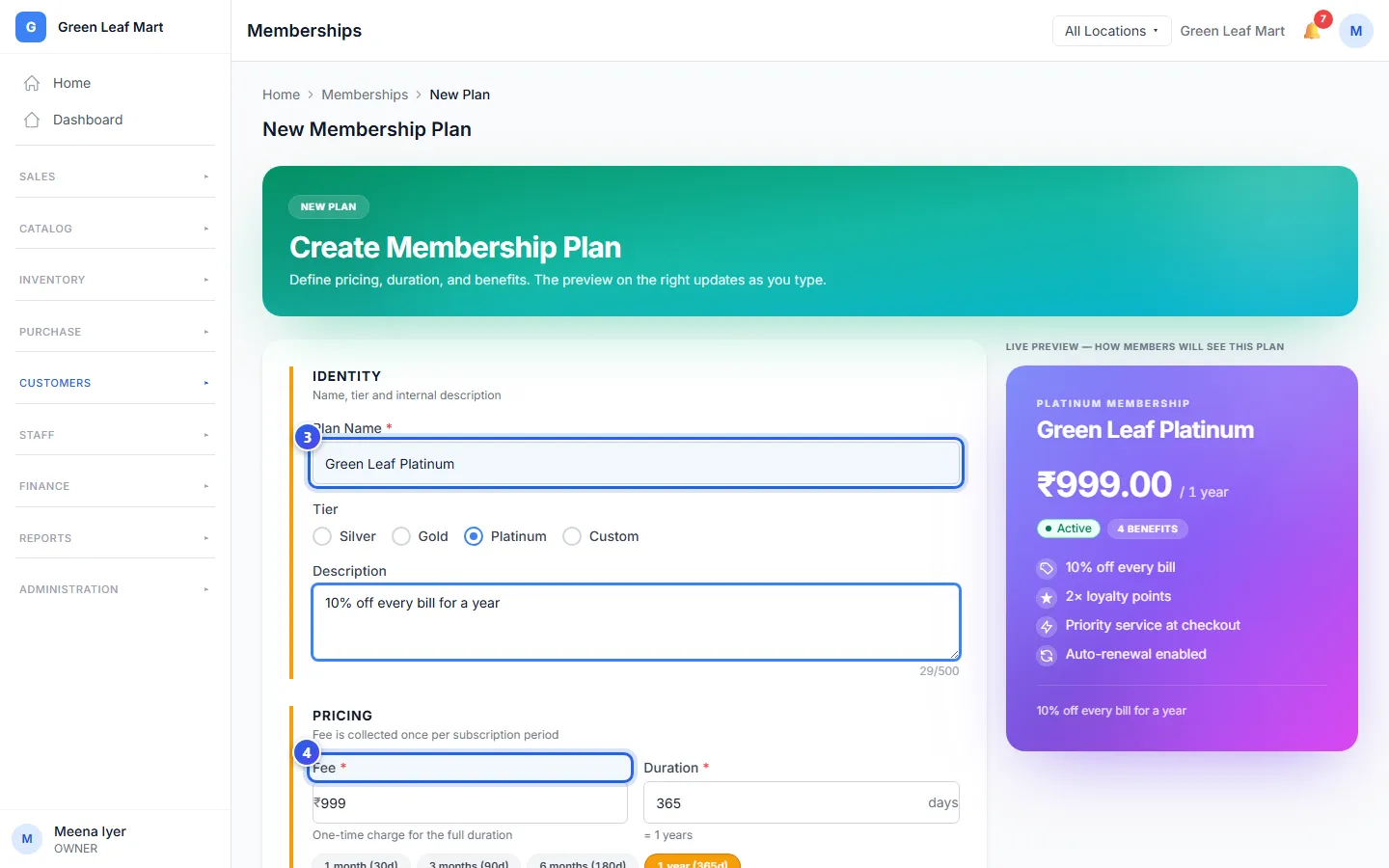
As you type, the card on the right shows the plan the way members see it.
Add a customer to the plan
- Open the customer's profile. See Find a customer and see their history.
- Press the Memberships tab.
- Press + Enroll in Plan.
- Under Plan, choose the plan.
- Under Payment Method, choose how the customer paid the fee.
- Press Confirm Enrollment.
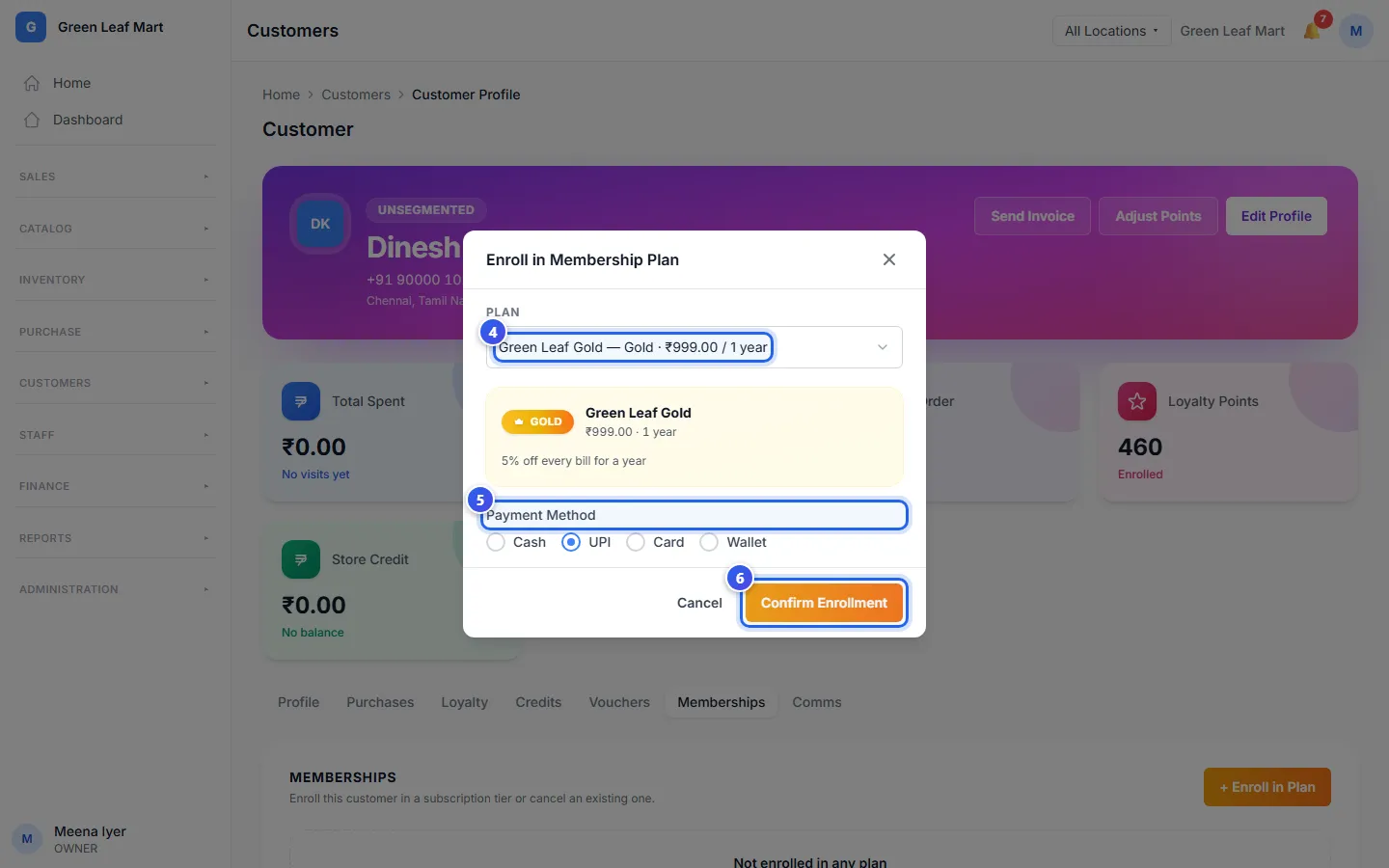
The customer is now a member. The plan shows on their profile, with the last day of the plan.
Good to know
- When a member is on a bill, Orio360 takes the plan's discount off each item.
- The Membership Plans page counts your members. It also shows the money from fees.
- To end a membership, open the Memberships tab on the profile. Press Cancel Membership.
Related help
Find a customer and see their history
Look up a customer, then see their bills, points, store credit and membership.
Reward customers with points
Choose how many points customers earn on a bill and what each point is worth.
On some plans
Add a customer to a bill
Find a customer at the till and put their name on the bill.
Still need help?