Read customer feedback
See the stars and comments your customers give, and deal with each poor rating.
Who can do this: Owner and Manager
This is not in every plan. See Pricing.
Customers can rate a visit from 1 to 5 stars and add a comment. Each rating belongs to one bill. Read them to see what customers like, and to fix what they do not.
See all your ratings
- Go to Customers.
- Press Feedback.
- Choose a time under Period, like This Month.
- To see one rating only, choose it in All Ratings.
- Read the cards: Avg Rating, Total Reviews, Positive % and Negative Alerts.
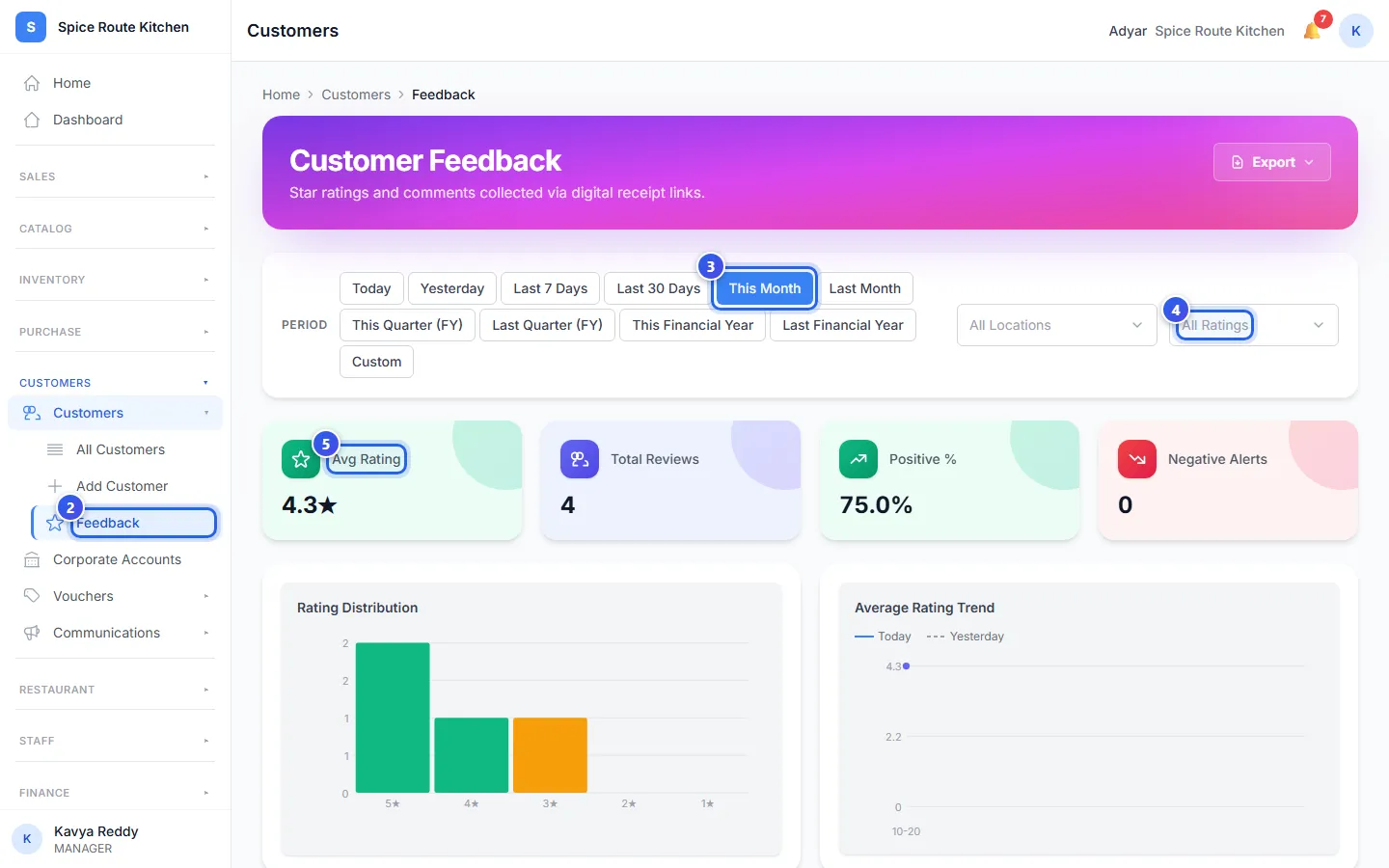
Scroll down for 2 charts and the Recent Feedback list. The list shows each comment with its bill and the staff member.
Deal with a poor rating
A rating of 1 or 2 stars is a poor rating. Owners and Managers get an alert in the app for each one.
- Go to Communications.
- Press Feedback.
- In Rating, choose 1 Star or 2 Stars.
- Read the Comment of each rating.
- Call the customer, or talk to your team about it.
- Press Mark read. Now your team knows that someone dealt with it.
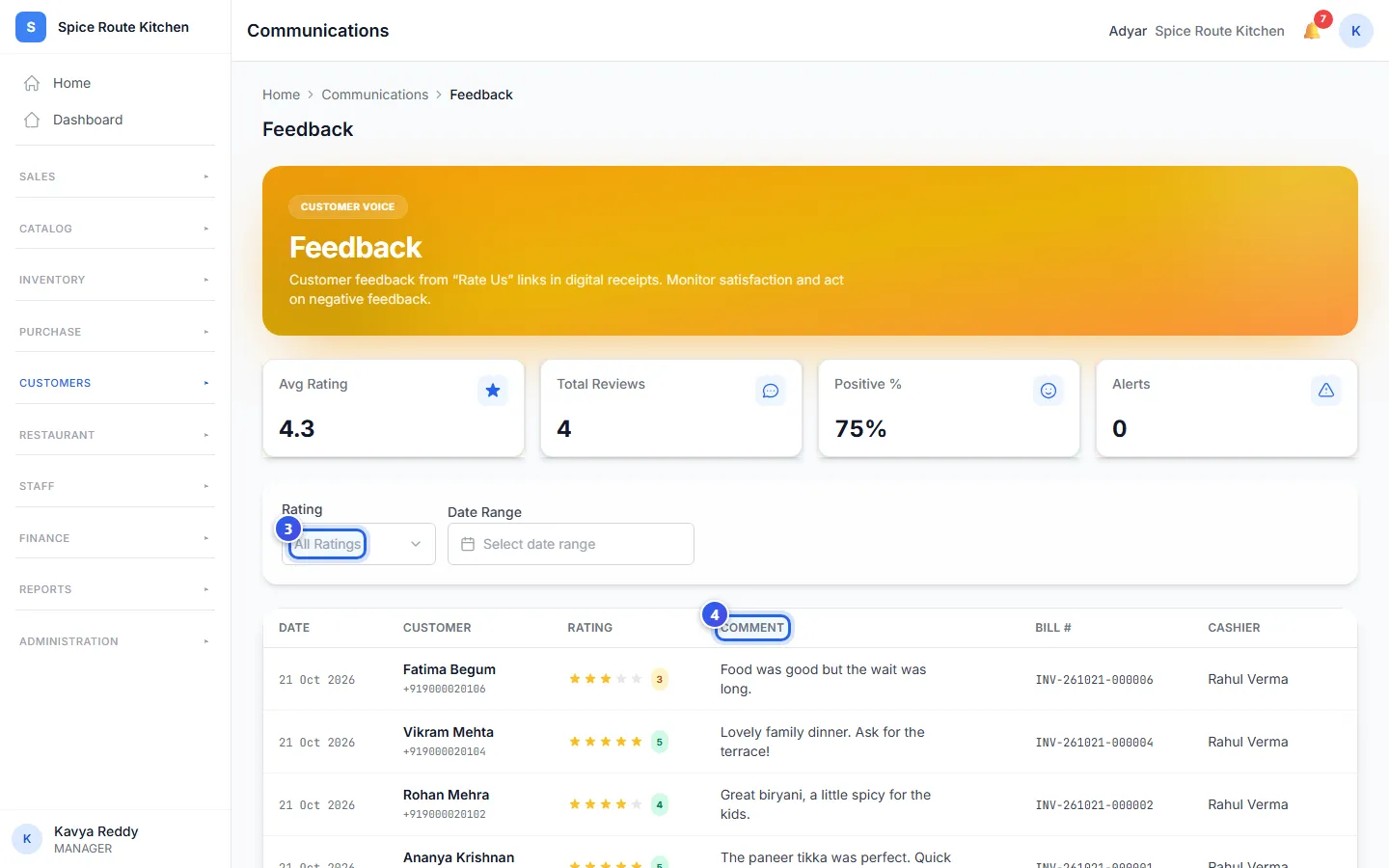
The Alerts card counts the poor ratings that nobody has marked yet.
What the customer fills in
The customer sees a short page for their bill. They give the visit 1 to 5 stars. They can also rate the staff and how fast they were served. In a restaurant, they can rate the food too. Then they can pick what stood out, like Food or Service, and write a comment.
Related help
Find a customer and see their history
Look up a customer, then see their bills, points, store credit and membership.
See your best and quiet customers
Find customers who buy often and those who have not come back for a while.
Check the messages you sent
See the messages Orio360 sent for you, and whether each one went out.
On some plans
Still need help?