Look up a product at the till
Find a product's price and stock without leaving the till.
Who can do this: Owner, Manager and Cashier
A customer asks, "How much is this?" or "Do you have more?" You can find out at the till. The Product Catalog shows the price and the stock of every product at your location.
Find a product
- On the billing screen, press Catalog.
- Type a name, a product code or a barcode in the search box.
- To see only some products, use the lists under the search box. For example, choose Low Stock in All Stock.
- Press a product to see more about it.
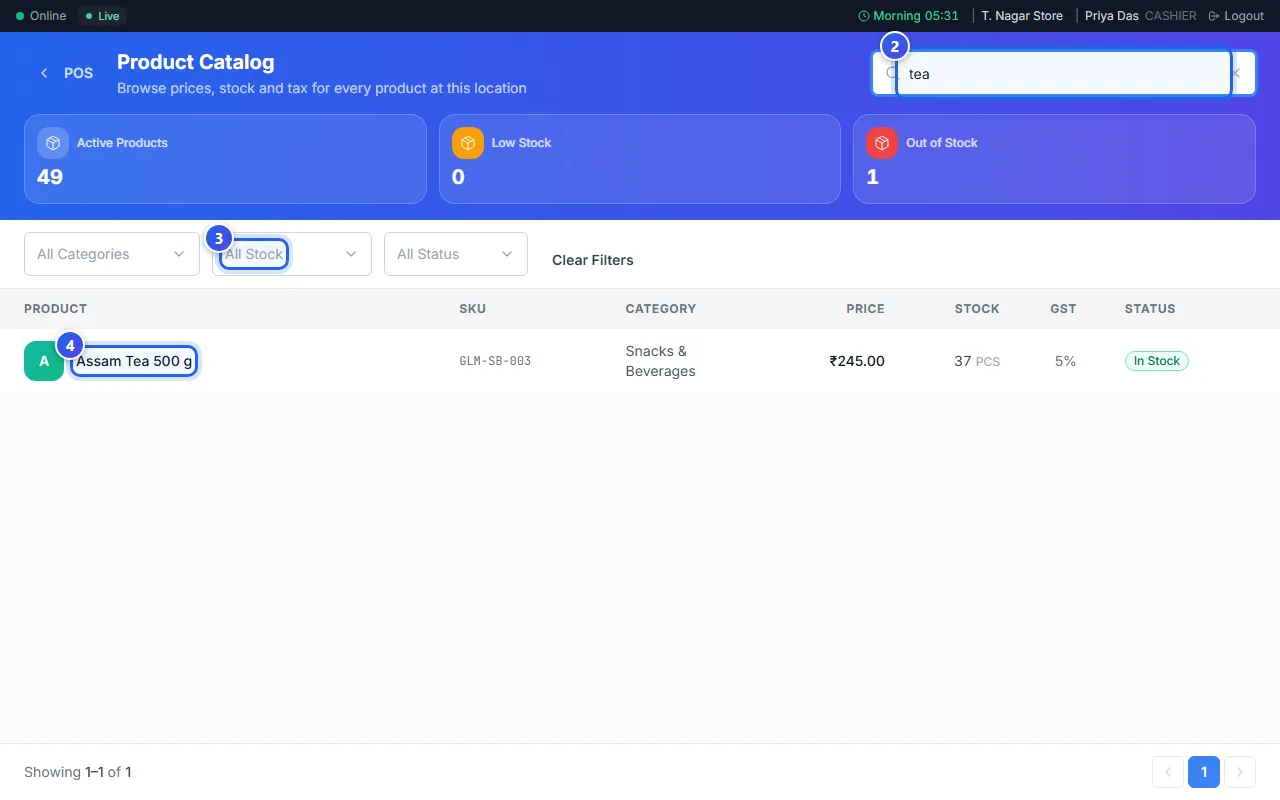
Each row shows the price, the stock and the GST rate. The last column says In Stock, Low Stock or Out of Stock.
See one product
- Check the Selling Price.
- Check the Current Stock. This is the stock at your location only.
- Press Add to Cart to put the product on the bill. The billing screen opens again.
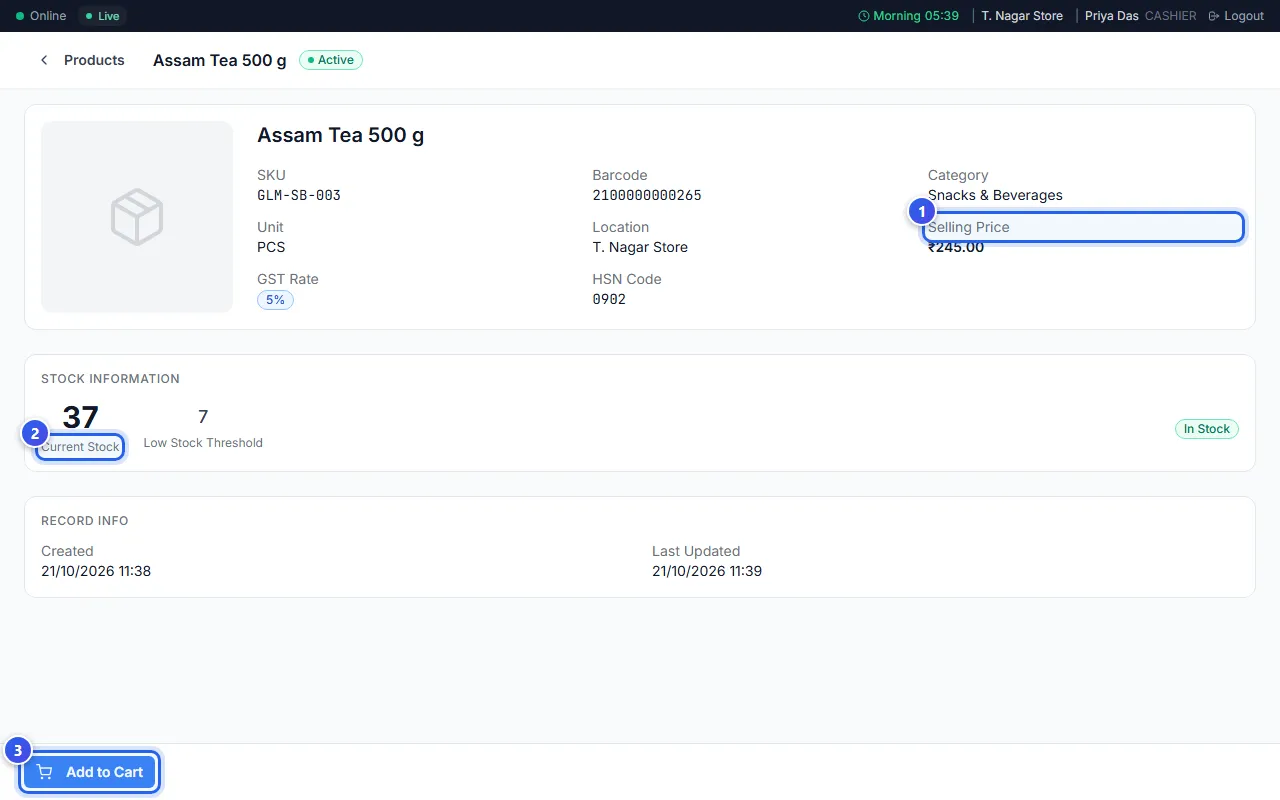
Add to Cart is grey when the product is out of stock.
A Manager and an Owner see more on this page. They see what the product cost you, and they can press Stock History.
Related help
Still need help?