Send a notice to your staff
Send one message to all your staff at once.
Who can do this: Owner
Do you need to tell everyone about a staff meeting or a new rule? Send one notice. It goes to every staff member of your business at once. Only the Owner can send a notice.
- In the Administration group, press Notifications, then Broadcasts.
- Type a short Title.
- Type your Message.
- Choose a Priority: LOW, MEDIUM, HIGH or URGENT.
- Press Review and send.
- Read the notice once more, and press Send broadcast.
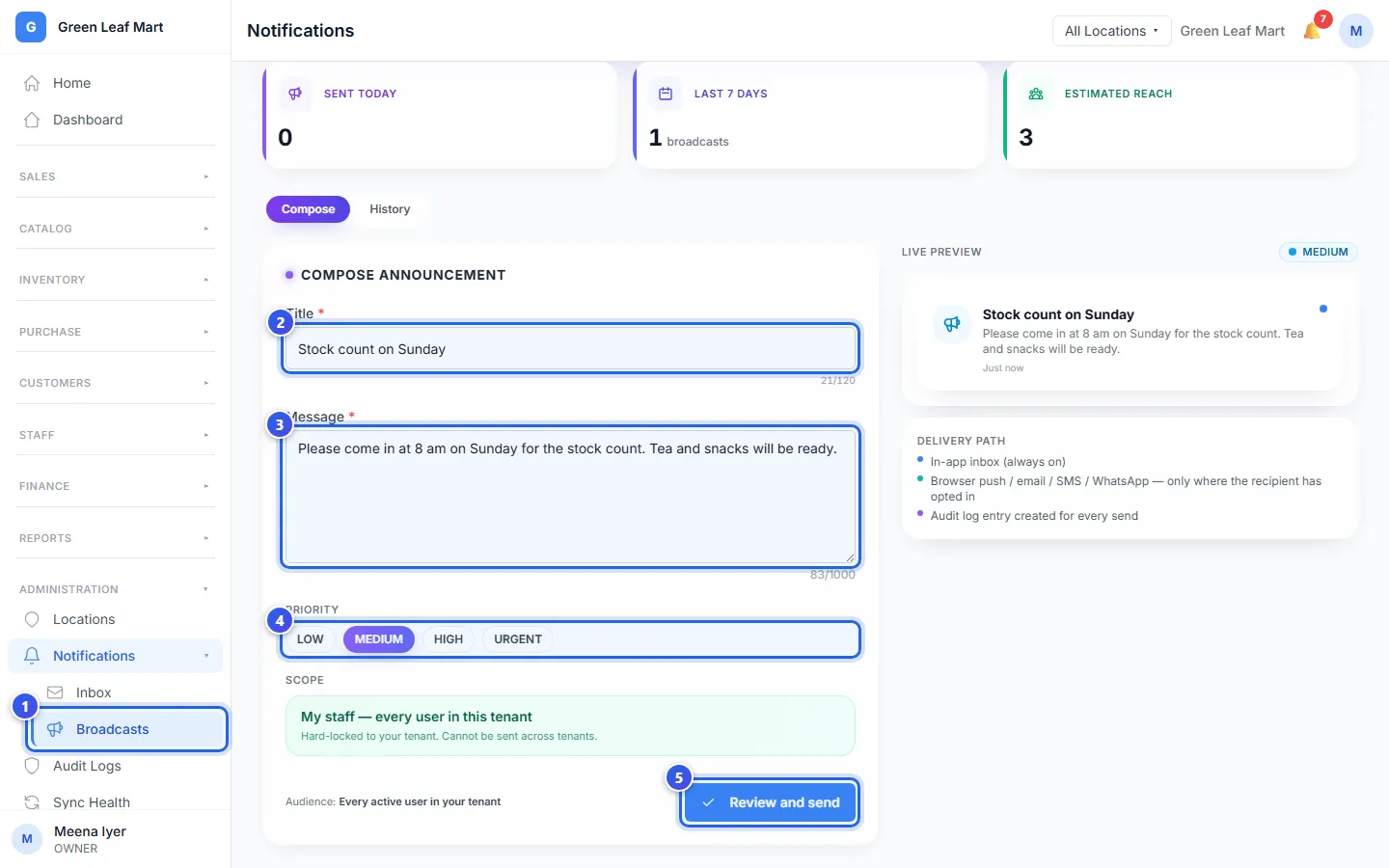
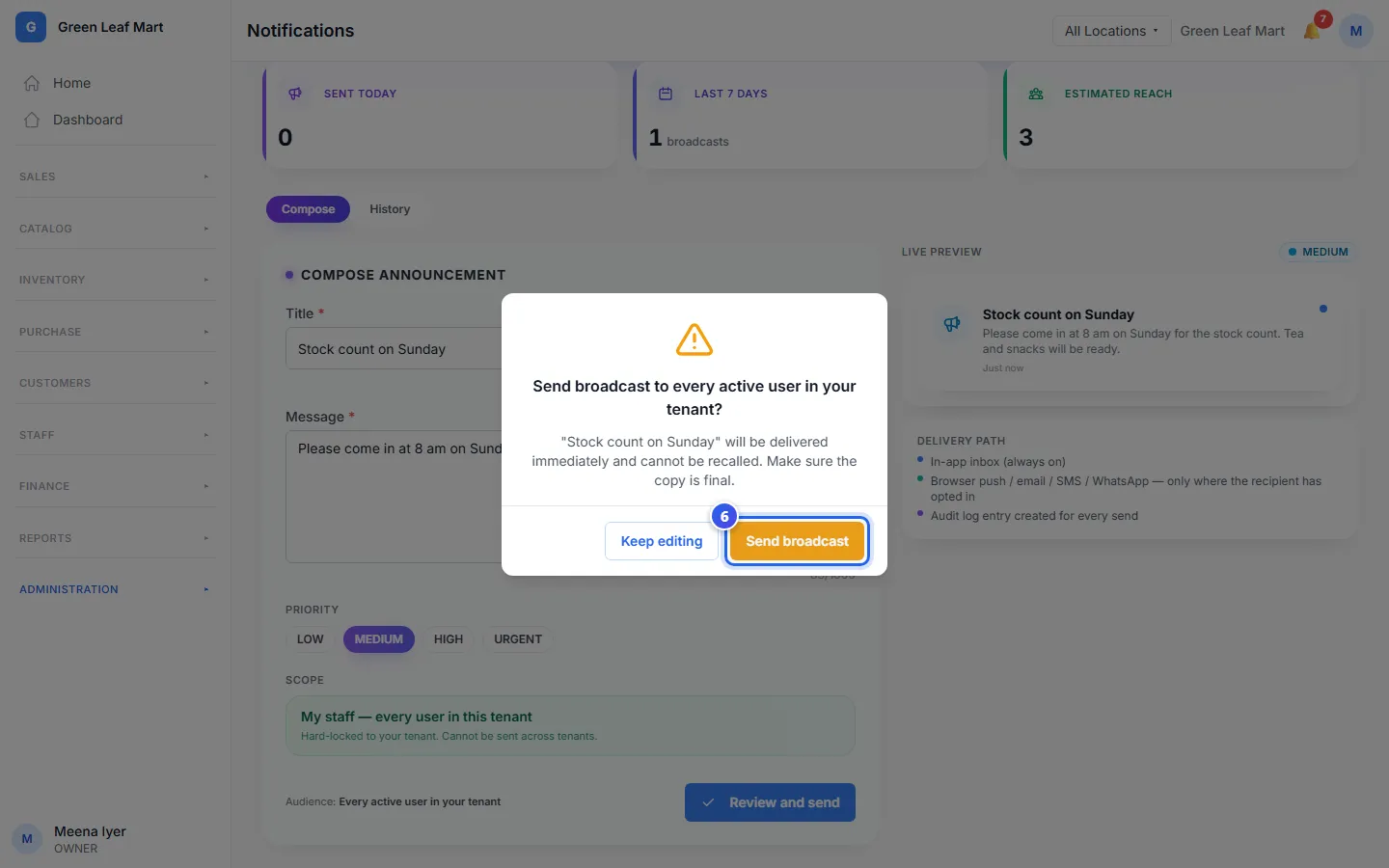
The Live preview on the right shows how the notice looks to your staff. Under Scope, your own staff are already chosen. A notice never goes to another business.
Your staff see the notice with their other alerts, under the bell. Some of them also get it by email, SMS or WhatsApp, if they turned that on.
To see the notices you sent before, press History.
Related help
Still need help?